Every app you need,
growing in one place.
Notes, dictation, screen recording, meeting notes, forms and more. Simple, AI-native apps that share one account and one home for everything you make, so each one makes the others better.
Burrow, Barky, Firefly and Iris are ready today. Sign in with just your email.
One subscription instead of
23 apps and their bills.


Meadow replaces Notion, Obsidian, Wispr Flow, Screen Studio, Loom, CleanShot X, Granola, Otter, Raycast, Alfred, Rize, Toggl, Sublime Text, BBEdit, Typeform, Tally, Calendly, Linktree, Carrd, Readwise Reader, Instapaper, Captions, Descript.
The apps
Each one does one thing beautifully.
Pick up any of them on day one. They all sign in with the same account and keep their work in the same place.
 Available now
Notes, checklists and databases for the people you share a life with.
Instead ofNotionObsidian


 Available now
Hold a key, talk, and clean text lands wherever your cursor is.
Instead ofWispr Flow

 Available now
Screen recordings that look edited: backdrops, smooth zooms, and they never leave your Mac.
Instead ofScreen StudioLoom


 Available now
Snap, mark up, blur and share a screenshot before the moment's gone.
Instead ofCleanShot X


 Early access
Notes from every call, with the to-dos already pulled out.
Instead ofGranolaOtter


 Early access
One shortcut to launch, paste from history, and ask AI anything.
Instead ofRaycastAlfred
 Early access
Time tracking that tracks itself, per project and client.
Instead ofRizeToggl
 Early access
A fast, clean text editor: open code, notes and big logs in a blink, and find them later in Burrow.
Instead ofSublime TextBBEdit
 Early access
Forms whose answers arrive as tidy database rows.
Instead ofTypeformTally
 Early access
A booking link that respects your real calendar.
Instead ofCalendly
 Early access
A link-in-bio or a little website, published from a page.
Instead ofLinktreeCarrd
 Early access
Save articles for later and keep what you highlight.
Instead ofReadwise ReaderInstapaper
 Early access
Subtitles and short clips cut from your recordings.
Instead ofCaptionsDescript
See them at work
Small apps, real work.
Burrow · available now
The home in the middle of the meadow.
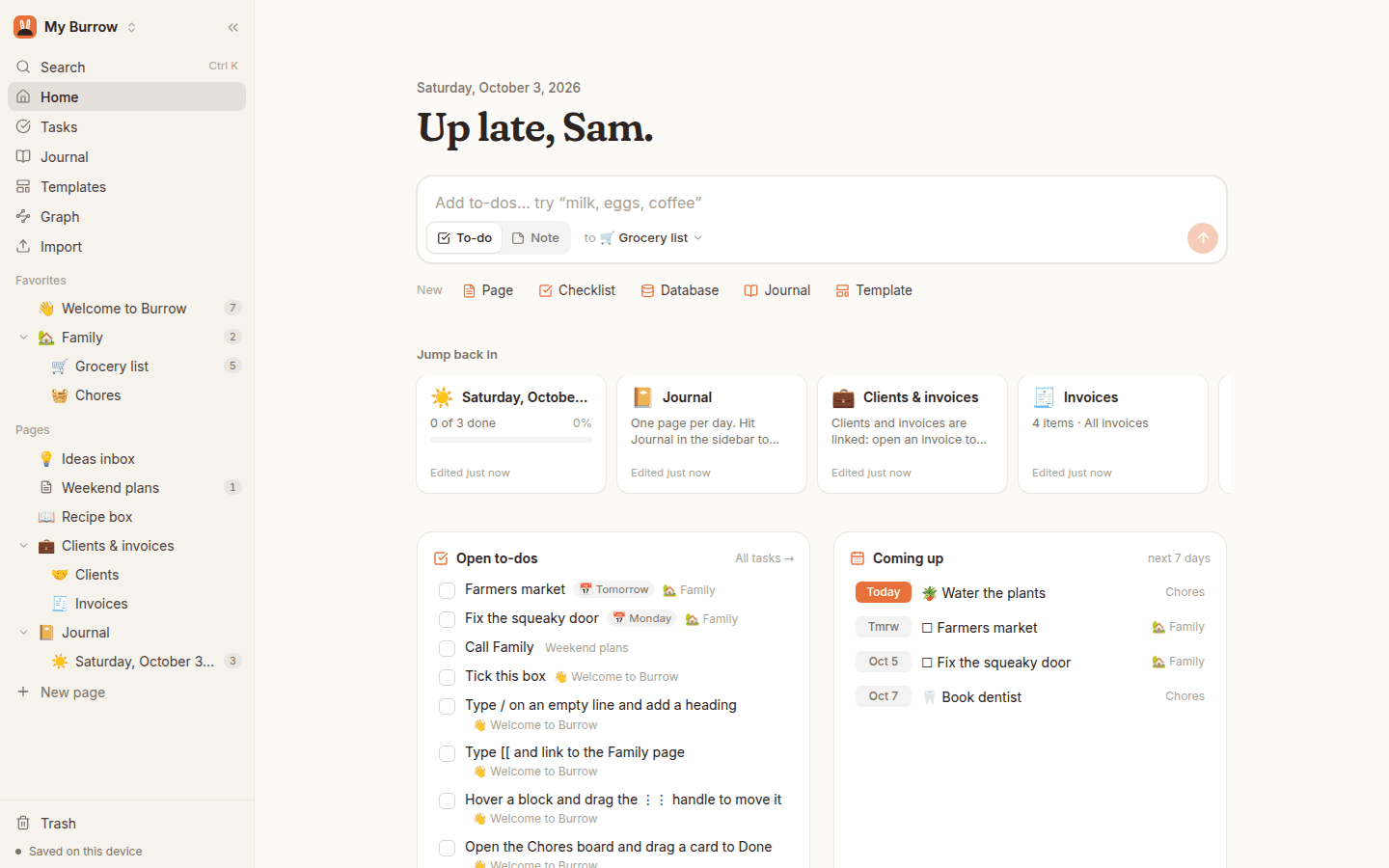
A calmer Notion. Pages, checklists and databases for the people you share a life with. Every other app files its work here.
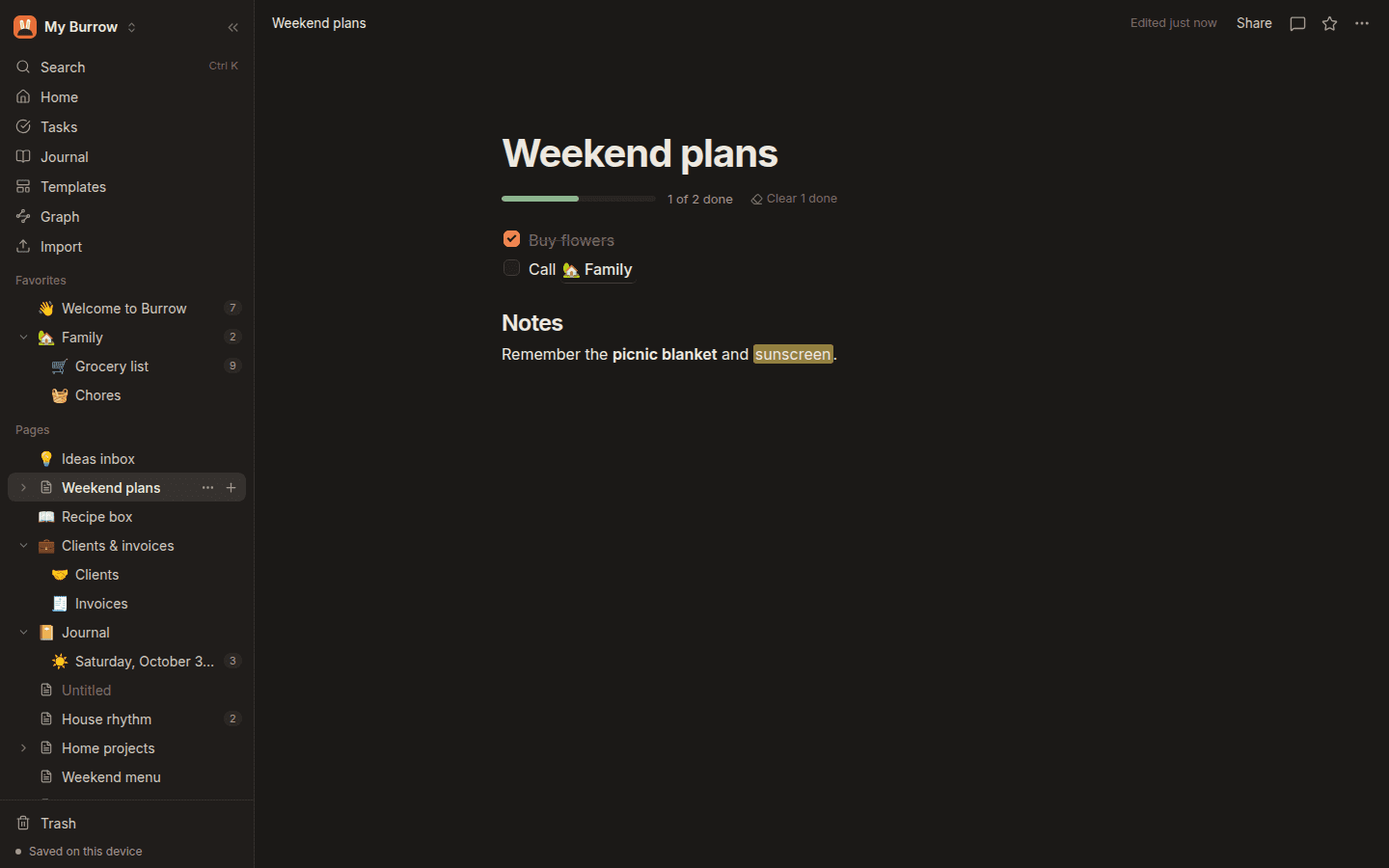
Fast and offline
Everything opens instantly and keeps working on a plane.
Things-style tasks
Today, Upcoming and a Logbook across every page.
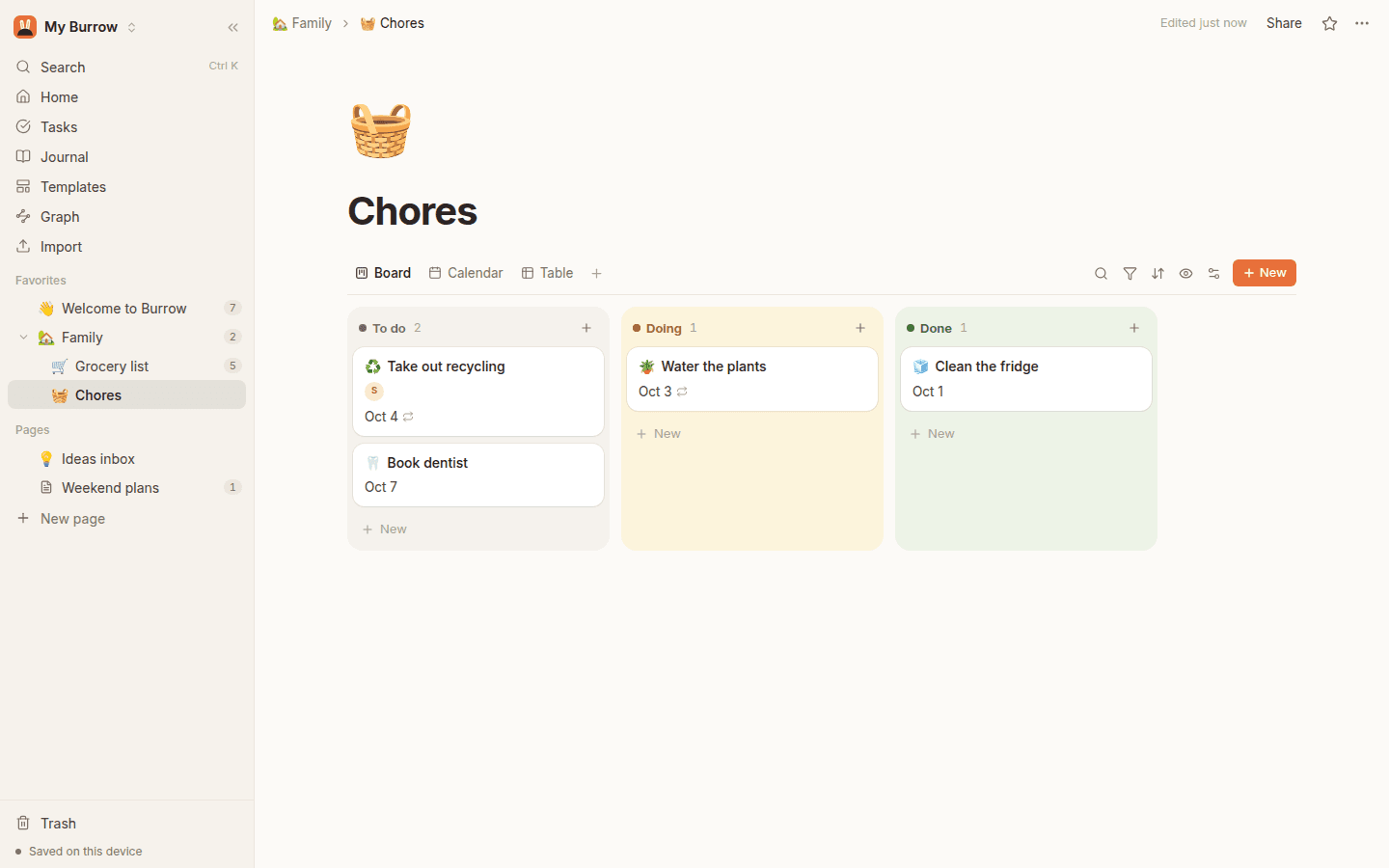
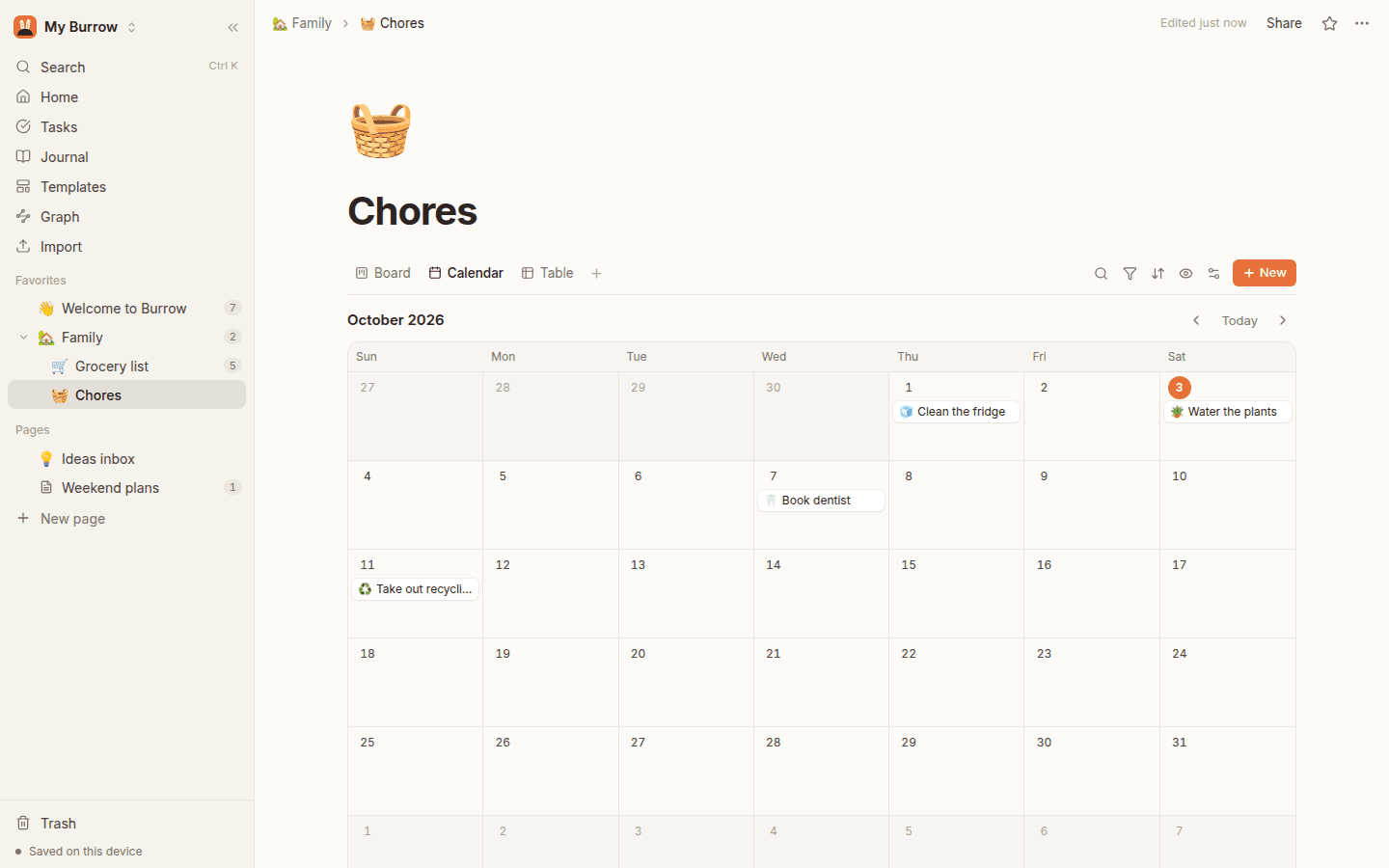
Databases that feel simple
Tables, boards, calendars and galleries, with formulas when you need them.
Live together
Edit the same page with your family or team at the same time.
Leave Notion in a minute
Drop in your Notion export and everything comes across, links included.
Yours to keep
Export everything as Markdown and CSV, any time.
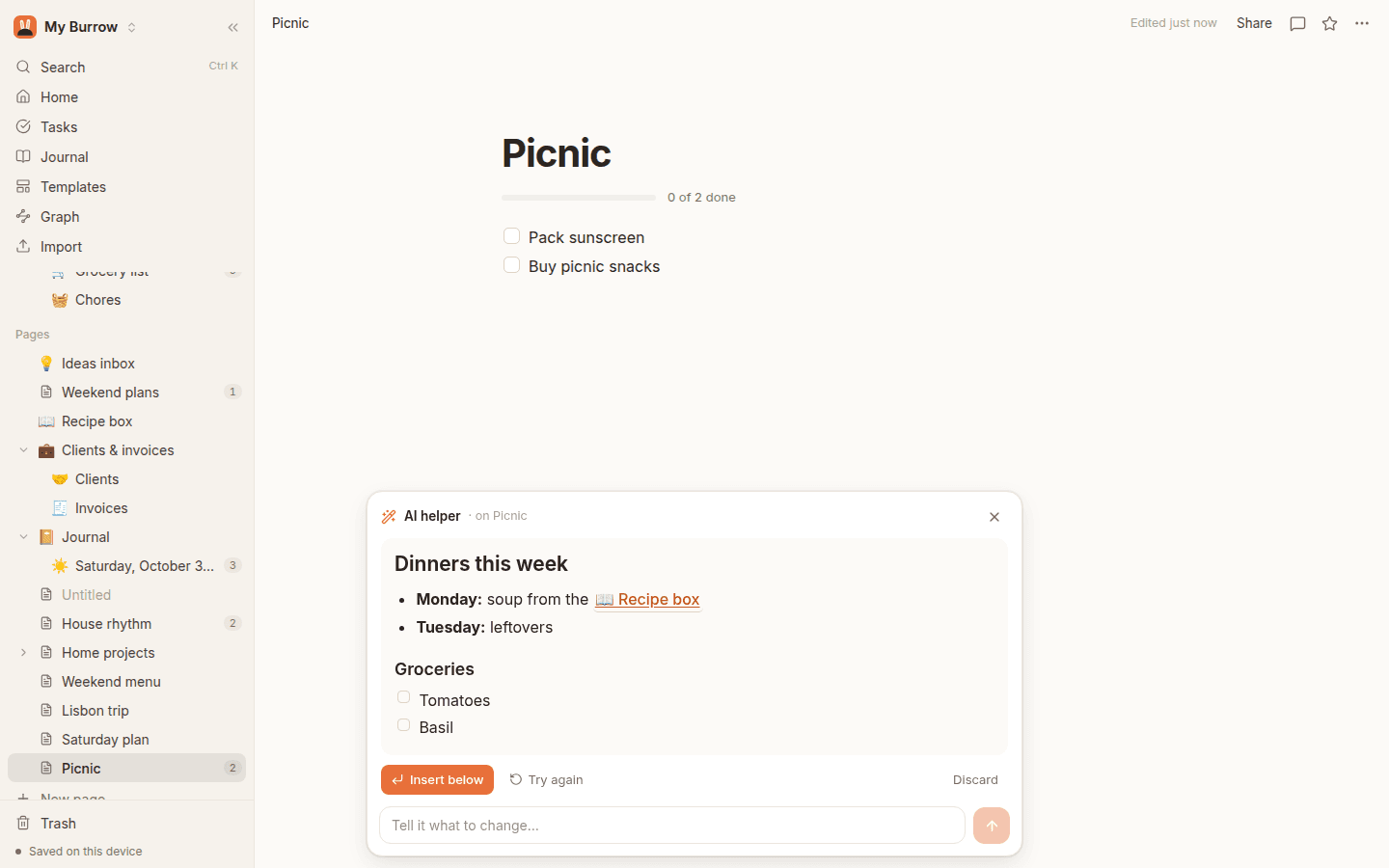
AI that knows your stuff
Ask anything about your life, your work, your week.
Because every app shares one workspace, the AI can answer from your notes, meetings, recordings and lists together, and it shows you the pages it used. It drafts, plans meals from your recipe box, and turns rambling into checklists.
- ✦ Every answer shows the pages it came from
- ✦ Nothing goes into a page until you say so
- ✦ A generous monthly allowance is included
SundialOn your computer · early access
Small apps that stay out of the way.
Wren, Firefly, Sundial, Barky and Meetings are each their own app. Install the ones you want; they sit quietly in your menu bar. One Meadow sign-in unlocks the ones you pick, on one bill instead of five.
- Speech is turned into text on your own computer, so dictation is fast and private.
- Recordings upload in the background and share with a link that just plays.
- Hours, captures and recordings land in Burrow, ready to search, link and invoice.
Do the maths
What are you paying now?
Tap the apps you pay for. Meadow is priced by how many of its apps you use instead.
Your monthly bills
- Notion
- Loom
- Calendly
You'd save
$360a year
3 Meadow apps, all saving into one shared workspace.
Approximate. Each app's cheapest paid plan for one person, billed yearly, from its pricing page in October 2026. Change any number to match yours. Meadow is early-access pricing.
Pricing
Pay for the apps you use.
Pick your apps and the price goes by how many. Change your apps any time; the difference is prorated.
- Plus, $1 a month per app. Cloud AI in that app, 300 requests a month. Without it, apps use on-device AI.
- Changed your mind? Full refund within 14 days. Everything you make stays yours, and exports any time.
Each person picks their own apps. Shared workspaces stay free to join: people you invite can read and edit what you share. Early-access pricing.
Questions, answered.
What do I get today?
Four apps are ready: Burrow (notes, lists and databases), Barky (dictation), Firefly (screenshots) and Iris (screen recordings). Meetings is next; the others open to early access one by one.
Is there a free trial?
No. Every app is paid, priced by how many you pick (see Pricing), and it's already a small price. If an app isn't right for you, ask within 14 days of any charge and you get it back in full.
Is my data mine?
Yes. Everything is stored in your workspace and can be exported as Markdown and CSV any time. Burrow even works fully offline, on your device.
Is Meadow one big app?
No. Each Meadow app is its own app, with its own install or web address. Use only the ones you want. Meadow is the account, one subscription for the apps you pick, and the shared workspace they save into.
How do the apps share things?
They all use the same account and the same workspace. A meeting's notes, a recording's transcript or a form's answers are saved where Burrow, search and the AI can all see them, and link to each other.
Can I bring my stuff from Notion?
Yes. Export your Notion workspace as Markdown & CSV and drop the .zip into Burrow. Pages, databases, links and relations come across.
Who is it for?
Families running a household, creators juggling ideas and recordings, and small teams who are tired of paying for ten tools. Each person picks the apps they want, and shared workspaces are free to join.
How does the AI work?
It uses Claude, answers from your own pages and shows which ones it used, and never changes a page until you say so. Each workspace gets a generous monthly allowance.
Be first into the meadow.
New apps open to early access first, at early-access prices. Tell us which ones you can't wait for.